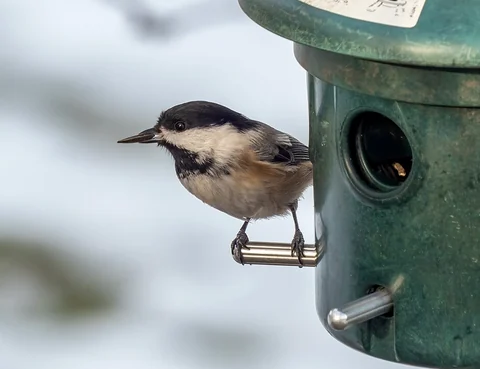
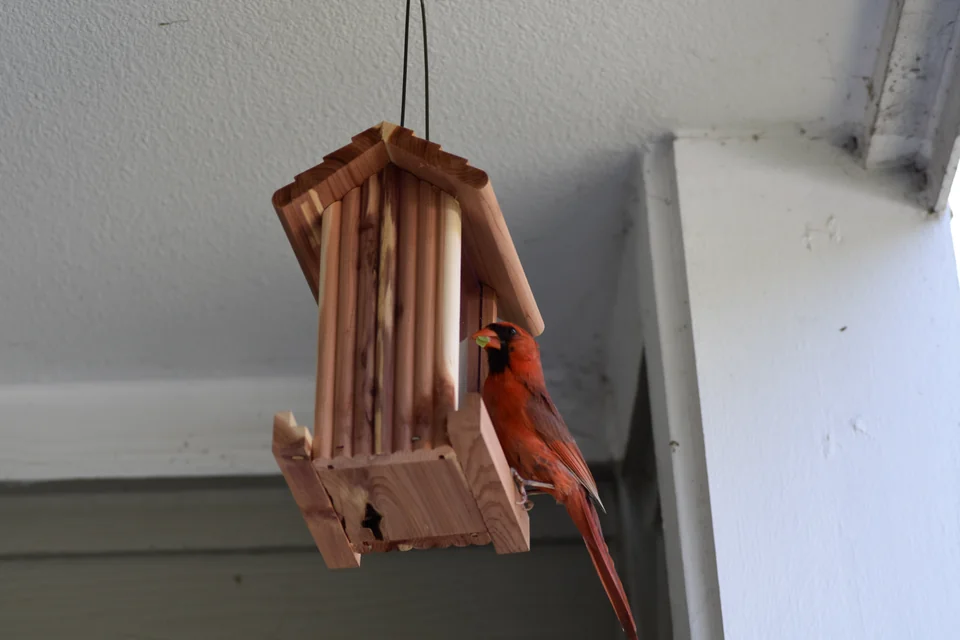
Photo: Slakshmin · A Northern Cardinal using a seed feeder. · CC BY-SA 4.0. Cropped, gently adjusted, and resized for this guide.
The short answer
Start with the job you want the feeder to do, then compare the exact camera and service bundle. The six-model comparison below separates documented specifications from unresolved questions; the rest of this guide helps you check location, cleaning, and ongoing costs.
Compare the feeder. Check the fine print.
Start with the difference that matters to you: a second camera angle, local storage, or the app features you will actually use.
Manufacturer information checked .
Six specification-based candidates, not a hands-on ranking. Birdfy configurations differ in their cameras. Source numbers link to the evidence.
- 01 · Choose a viewOne angle or more?
- 02 · Keep your clipsCloud, card, or both?
- 03 · Check the bundleWhat stays after a trial?
Showing all 6 models.
On a small screen, swipe the table sideways. Full details are below.
| Model | Camera | Memory card | Solar | App & bundle |
|---|---|---|---|---|
| Birdfy Feeder 2Single camera | 1080p [1] | Not supported [2] | Optional solar; check bundle; rechargeable battery. [1] | See service terms |
| Birdfy Feeder 2 ProPortrait + wide view | 2K portrait + 1080p wide [1] | Not supported [2] | 3W solar panel included; rechargeable battery. [1] | See service terms |
| Birdfy Feeder 2 DuoFront + side cameras | Front: 2K + 1080p; side: 1080p [1] | Not supported [2] | 5W solar panel included; rechargeable battery. [1] | See service terms |
| Birdbuddy ProPostcard-centered app | 5 MP photos; 2K video. 2K Ultra is Premium. [4] [5] | Not confirmed [5] [4] | 3,800 mAh; USB-C. Solar roof is an add-on. [4] | See service terms |
| Kiwibit 4K Solar Panel Kit3W kit · Lifetime AI | 4K; 132° field of view. [7] | Supported [7] | 5,200 mAh removable battery; USB-C; 3W panel. [7] | See service terms |
| BirdReel BF23Included memory card | 4 MP / 2K; 180° field of view. [10] | Supported [10] | 5,200 mAh; dual solar panels; USB-C. [10] | See service terms |
No models match both filters. Reset the filters to compare all six. Unconfirmed card support is excluded from this filter.
Birdfy Feeder 2
Consider for: A single view without the extra side camera.
Pause if: You need local memory-card playback.
Specifications, care & evidence
- Camera
- 1080p [1]
- Connection
- 2.4 GHz Wi-Fi [1]
- Storage
- Cloud only; no microSD playback. [2]
- Power & solar
- Optional solar; check bundle; rechargeable battery. [1]
- Mounting
- Mounting bracket, strap and screws listed; verify pole fit separately. [1]
- Replacement parts
- Replacement battery/feeder-part availability not confirmed; ask support with the exact model. [1]
- Warranty
- 2 years; seller terms and exclusions apply. [1]
Birdfy Feeder 2 Pro
Consider for: A portrait view alongside the wider scene.
Pause if: On-device card storage is essential.
Specifications, care & evidence
- Camera
- 2K portrait + 1080p wide [1]
- Connection
- 2.4 GHz Wi-Fi [1]
- Storage
- Cloud only; no microSD playback. [2]
- Power & solar
- 3W solar panel included; rechargeable battery. [1]
- Mounting
- Mounting bracket, strap and screws listed; verify pole fit separately. [1]
- Replacement parts
- Replacement battery/feeder-part availability not confirmed; ask support with the exact model. [1]
- Warranty
- 2 years; seller terms and exclusions apply. [1]
Birdfy Feeder 2 Duo
Consider for: A second viewpoint at the same station.
Pause if: One view already answers your needs.
Specifications, care & evidence
- Camera
- Front: 2K + 1080p; side: 1080p [1]
- Connection
- 2.4 GHz Wi-Fi [1]
- Storage
- Cloud only; no microSD playback. [2]
- Power & solar
- 5W solar panel included; rechargeable battery. [1]
- Mounting
- Mounting bracket, strap and screws listed; verify pole fit separately. [1]
- Replacement parts
- Replacement battery/feeder-part availability not confirmed; ask support with the exact model. [1]
- Warranty
- 2 years; seller terms and exclusions apply. [1]
Birdbuddy Pro
Consider for: App-based postcards and reviewing your own identifications.
Pause if: You require confirmed local memory-card recording.
Specifications, care & evidence
- Exact version
- Pro with Nature Cam Pro; standard housing, not the Pro Solar bundle. [4]
- Connection
- 2.4 GHz Wi-Fi; Bluetooth for setup. [4]
- Storage
- App downloads are documented; microSD support and a fixed cloud-retention period were not confirmed. [5] [4]
- Power & solar
- 3,800 mAh; USB-C. Solar roof is an add-on. [4]
- Mounting
- Metal hanger and universal mount listed; check support hardware. [4]
- Replacement parts
- Solar roof and mounting accessories listed; battery-part availability not confirmed. [4]
- Warranty
- 24 months from delivery; wildlife damage is excluded. [6]
Kiwibit 4K Solar Panel Kit
Consider for: Local storage plus the explicitly included AI bundle.
Pause if: You intend to buy the newer Feeder 2 or 2 Pro; those are different models.
Specifications, care & evidence
- Exact version
- Original 4K kit, separate 3W panel, Lifetime AI Included; not Feeder 2 / 2 Pro. [7]
- Camera
- 4K; 132° field of view. [7]
- Connection
- 2.4 GHz Wi-Fi [7]
- Storage
- microSD up to 512 GB, card extra; up to 60-day cloud history in this bundle. [7]
- Power & solar
- 5,200 mAh removable battery; USB-C; 3W panel. [7]
- Mounting
- Wall, pole and strap options; pole not included. [7]
- Replacement parts
- Replacement battery is listed separately; confirm model compatibility. [9]
- Warranty
- 1 year for manufacturing defects and quality issues. [7]
BirdReel BF23
Consider for: A shortlist that includes a supplied memory card.
Pause if: You need confirmed AI and cloud terms before purchase; resolve these first.
Specifications, care & evidence
- Exact version
- BF23; not BF11. [10]
- Camera
- 4 MP / 2K; 180° field of view. [10]
- Connection
- 2.4 GHz according to the general BirdReel FAQ. [11]
- Storage
- 64 GB microSD included; cloud retention and export workflow not confirmed. [10]
- Power & solar
- 5,200 mAh; dual solar panels; USB-C. [10]
- Mounting
- Exact BF23 mounting-kit contents not confirmed in the checked page. [10]
- Replacement parts
- Retail spare-parts range not confirmed; warranty support offers defect assessment. [12]
- Warranty
- 1 year from delivery for manufacturing defects under normal use. [12]
What remains without another payment?
Check the exact bundle. Free app downloads do not establish free features; checkout-specific prices are not quoted.
Birdfy Feeder 2 family
Included / free: Current Free tier: 30-day Moments, clips up to 20 seconds, 5 GB Collection and ten AI identifications daily.
Paid or different bundle: Plus covers up to two linked devices; Pro covers ten by default. Device Lifetime AI is a separate entitlement.
Trial, renewal & saving clips
After a trial: Check the order: the product FAQ describes a seven-day AI trial, while current membership has a free daily allowance.
Recurring cost: Current US renewal total not confirmed; check billing period and device count in your account.
Keep your footage: Downloads are documented. Export favorites before the rolling history expires.
Check before ordering: Use current membership terms alongside the exact bundle, not the older trial wording alone.
Birdbuddy Pro
Included / free: Postcards, manual AI+, HD/2K media, downloads and postcard access for ten guests.
Paid or different bundle: Individual: automatic AI+ and 2K Ultra. Family also extends Premium and live access to guests.
Trial, renewal & saving clips
After a trial: Free features remain; personal live-stream eligibility depends on when you joined.
Recurring cost: Current US renewal price not confirmed; check your account offer.
Keep your footage: Downloads are free. Check the plan’s clip-retention period before ordering.
Check before ordering: Owner and guest live-stream access have different conditions.
Manufacturer evidence: [5]
Kiwibit: the selected Lifetime AI kit
Included / free: Selected Lifetime AI kit: AI and up to 60-day cloud history included; memory card sold separately.
Paid or different bundle: The AI-by-Subscription version instead lists one-day free history and a 30-day Plus trial.
Trial, renewal & saving clips
After a trial: The selected Lifetime AI kit is not a temporary AI trial.
Recurring cost: No recurring fee advertised for the selected bundle's included AI/cloud features.
Keep your footage: Card support confirmed; in-app export workflow not independently verified.
Check before ordering: Confirm the exact bundle; Lifetime AI is not a promise of indefinite hardware or cloud availability.
BirdReel BF23
Included / free: AI and a supplied memory card are listed; free-versus-paid boundaries are unconfirmed.
Paid or different bundle: BF23 AI fees, trial length and cloud retention were not established.
Trial, renewal & saving clips
After a trial: Obtain BF23-specific terms before purchase.
Recurring cost: Not confirmed; missing pricing does not mean zero fees.
Keep your footage: Confirm card playback and clip-export instructions.
Check before ordering: The product page names Bird Lover; the FAQ names BirdReel. Verify which app your BF23 uses.
Sources, verification date & comparison method
Manufacturer pages and support documents were checked September 15, 2026. Unconfirmed means unresolved, not absent. Suitability notes interpret specifications; reliability, runtime, image quality, AI accuracy and cleaning time have not been tested.
- Birdfy Feeder 2 series specificationsManufacturer source · checked 2026-09-15
- Birdfy Feeder 2 Pro and series FAQManufacturer source · checked 2026-09-15
- Birdfy membership: Free, Plus and ProManufacturer source · checked 2026-09-15
- Birdbuddy Pro specifications and included accessoriesManufacturer source · checked 2026-09-15
- Birdbuddy membership comparisonManufacturer source · checked 2026-09-15
- Birdbuddy warranty and exclusionsManufacturer source · checked 2026-09-15
- Kiwibit 4K + 3W solar kit: Lifetime AI bundleManufacturer source · checked 2026-09-15
- Kiwibit 4K + 3W solar kit: subscription bundleManufacturer source · checked 2026-09-15
- Kiwibit replacement battery packManufacturer source · checked 2026-09-15
- BirdReel BF23 product detailsManufacturer source · checked 2026-09-15
- BirdReel general compatibility FAQManufacturer source · checked 2026-09-15
- BirdReel warranty and supportManufacturer source · checked 2026-09-15
Start with the experience you actually want
A smart feeder combines a feeding station with a camera service. Write down the experience you want before choosing hardware: close portraits, a live view, or a record of visits. Use the six-model comparison above to connect that goal to a specific configuration, then check the practical constraints below.
Decide whether you need a smart feeder at all
If your main pleasure is watching from a chair, a conventional feeder and comfortable binoculars may solve the problem more directly. A camera is particularly interesting when you miss visits while working, want close views of field marks, or enjoy saving short sequences to study later. It also adds charging, connectivity, software, and account administration.
Try describing the moment you currently miss. Is the bird too distant, too quick, or simply visiting while you are away? Those problems suggest different purchases. A better viewing position may help the first; an event camera may help the last. Neither automatically improves an unsuitable feeding surface.
Choose the simplest arrangement that provides the experience you want. Our guide to feeder designs explains the food and access side, while the binocular selection worksheet helps with a viewing-first approach.
Treat feeder design as the first filter
Look at the food path from the lid to the lowest corner. Can you empty it completely? Can you reach beneath the perch? Is the food sheltered without creating a chamber that hides damp residue? A removable camera is convenient only if the remaining feeder is also straightforward to service.
Think about the birds actually present. A narrow ledge, enclosed opening, or particular food dispenser can affect which visitors have usable access. Do not expect a seed feeder to meet every species' needs just because the app recognizes a large species library.
Before buying, find the assembly or cleaning instructions and count the parts you must remove. Picture doing the same work with cold fingers or limited counter space. If the care routine already feels awkward in a diagram, a discount does not remove that practical problem. Start with a modest food capacity you can keep fresh.
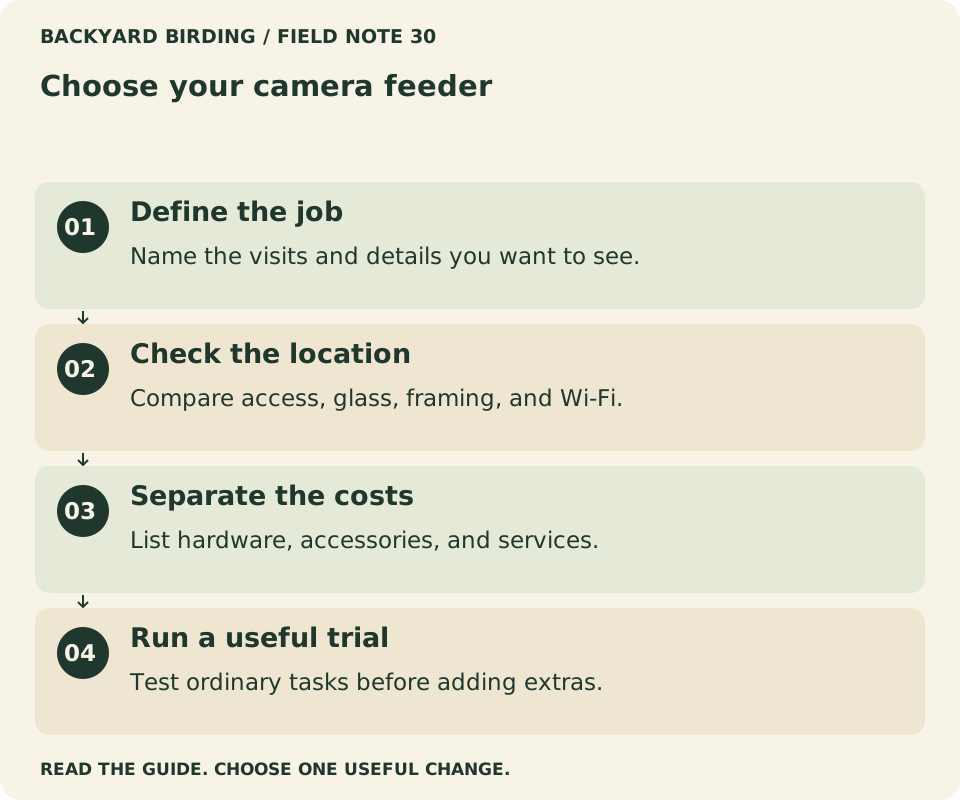
Your visual action map

Read the visual as text
- Define the job. Name the visits and details you want to see.
- Check the location. Compare access, glass, framing, and Wi-Fi.
- Separate the costs. List hardware, accessories, and services.
- Run a useful trial. Test ordinary tasks before adding extras.
Test the intended location before choosing hardware
A feeder position has to work for birds, maintenance, the camera, and the network. Walk to the proposed spot and rehearse removing an empty feeder. Check the background the lens would record, the access route after rain, and whether nearby branches could move across the frame.
Address reflective glass directly. A camera's ideal background is not a reason to move birds toward hazardous windows. The yard placement guide explains why glass treatment, access, and surrounding cover need their own decisions.
Make a second candidate position. A shortlist with only one possible mounting point leaves little room to solve glare or a poor connection. Do not install permanent hardware until you have checked the model's mounting requirements and tested the practical arrangement. A temporary trial still needs a stable, manufacturer-compatible support; balancing equipment on an improvised ledge proves very little.
Read Wi-Fi requirements as model-specific conditions
The network label on a box is a compatibility requirement, not a promise of outdoor range. Birdbuddy's connectivity guidance discusses its 2.4 GHz requirements; Birdfy also documents network requirements by device. Check the current instructions for the exact generation rather than generalizing from a different feeder owned by a friend.
A phone showing a strong connection indoors does not establish that a small outdoor camera will work behind masonry, coated glass, or garden structures. The camera's antenna, orientation, power state, and location differ from your phone's. Pairing successfully beside the router is only the first stage.
Ask whether the device needs internet access for alerts, identification, saved clips, or live viewing. Then read our Wi-Fi troubleshooting sequence before buying networking accessories. It separates an incompatible setup from an outdoor signal problem and from an app or service problem.
Compare the picture at the distance that matters
Resolution describes the dimensions of an image; it does not establish a useful view of a bird. Lens position, focus distance, lighting, motion, and the perch's relationship to the frame can matter more than a larger number on a comparison chart.
Look for unedited sample sequences that identify the exact model and recording mode. Can you see an entire small bird on the feeding surface? What happens when a larger visitor lands close to the lens? Are the bill and eye sharp, or is the attractive background sharper than the subject?
Avoid drawing conclusions from a single promotional still. A selected image may represent favorable light and a cooperative visitor. Your useful comparison is a repeatable task: clear details during an ordinary feeding visit. If credible samples are unavailable, record that uncertainty rather than filling the gap with a confident score.
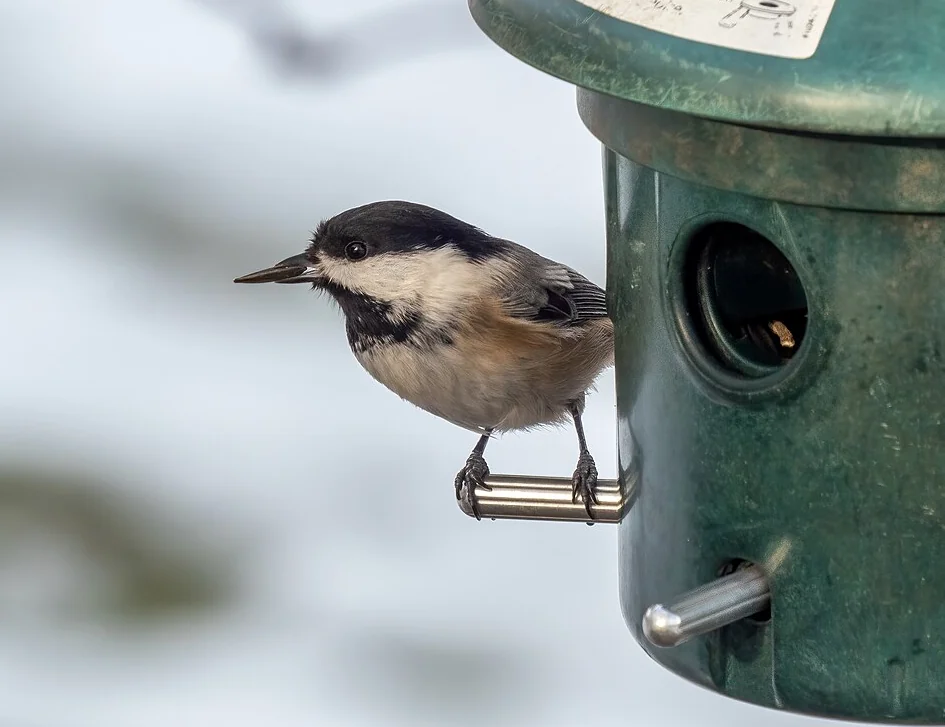
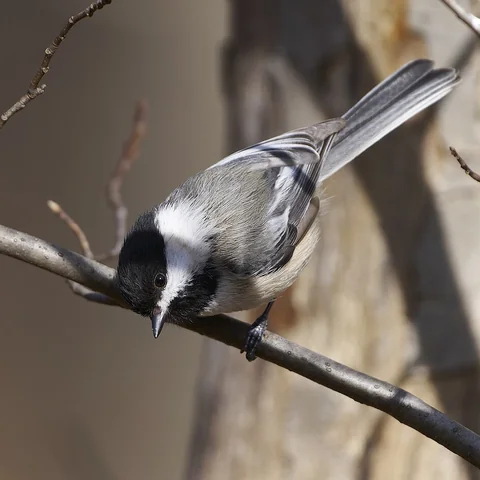
Photo: Rhododendrites · Black-capped chickadee (31171).jpg · CC BY-SA 4.0. Cropped, gently adjusted, and resized for this guide.
“Choose the experience you can maintain, not the longest specification list.”
Backyard Birding — editorial takeaway
Distinguish event clips from live viewing
A live view lets you look now. Event recording tries to select moments worth saving. These functions may use different power budgets, time limits, storage rules, or paid features. A camera can provide excellent event clips without behaving like a continuously recording security camera.
Consider your habit. If you plan to open the app repeatedly during the day, investigate live-view availability and its effect on battery use. If you mainly want a daily collection, assess how easily you can review, reject, and download events.
An alert does not guarantee that the bird will still be present when you reach the window. Treat notifications as invitations to inspect a record, not a promise of instant live observation. Also ask what happens during internet interruptions: local storage, delayed uploads, and lost events depend on the device. Do not assume offline recording exists merely because a camera has a memory-card-shaped opening.
Make the subscription question concrete
“No monthly fee” is incomplete unless it names the functions included. Separate live viewing, event clips, retention, downloads, automatic identification, enhanced recognition, and sharing. Some bundles include a service that another version sells separately.
The subscription worksheet turns these into checkable questions. Save the purchase description and current plan terms before checkout. Record whether a benefit applies to one device, one account, or several household members.
A free trial is useful for exploration but can disguise the ordinary experience after it ends. If possible, inspect the base plan as well as the trial. A feature you will rarely use should not become a recurring obligation simply because it appeared during setup. Conversely, paying for a feature you consistently enjoy can be reasonable when the ongoing cost is understood.
Check charging access before choosing solar
A solar panel can reduce manual charging when exposure and operating conditions are suitable. It does not remove the need for a way to retrieve, inspect, or service the device. A shaded yard and a high-activity recording mode can create a different routine from a sunny promotional installation.
Draw the path from the feeder to the charging location. Does the camera detach, does a battery detach, or must a larger assembly come indoors? Can you follow the recommended charging procedure without trailing an unsuitable cable through a window?
Look up the approved charger, cable, operating limits, and accessory compatibility for the model. Do not transfer instructions between generations. Our camera-feeder care guide explains how to keep food hygiene and electronics maintenance separate while scheduling them together.
Find your situation

Read the visual as text
- First camera feeder. Start with usable food access and care.
- Uncertain yard coverage. Test before buying network equipment.
- Unclear recurring fees. Compare functions separately.
Decide how much identification help you want
Automatic identification can make a familiar feeder newly interesting. It can also attach a convincing label to an obstructed or ambiguous image. Treat recognition as assistance that starts an observation, not a substitute for looking at the bird.
If you enjoy learning, prioritize easy access to original clips and stills. The ability to inspect a head angle or compare several frames may be more useful than a larger advertised recognition library. A species count is not a measure of how reliably the device will identify your actual visitors.
Ask whether you can correct a label and preserve an uncertain observation without forcing a species choice. The AI identification guide shows how to separate what is visible from what the software suggests. That distinction makes camera watching more rewarding even when the first label is wrong.
Examine sharing and privacy before installation
Point the camera at the feeding area and inspect the complete frame. Background windows, seating areas, paths, and neighboring property may appear more clearly than expected. A small adjustment can preserve bird detail while avoiding unnecessary recording of people.
Review who can access the account and which sharing controls are available. Household access through individual invitations, where supported, is easier to manage than passing around the main password. Use a unique password and any supported additional account protection.
Before posting a clip publicly, watch the whole sequence and check any audio. Remove location details you do not intend to share. Do not assume that a private app collection is automatically public, or that a shared link is restricted to the first recipient. Read the current service controls and choose deliberately. The goal is a bird-watching setup whose audience you understand.
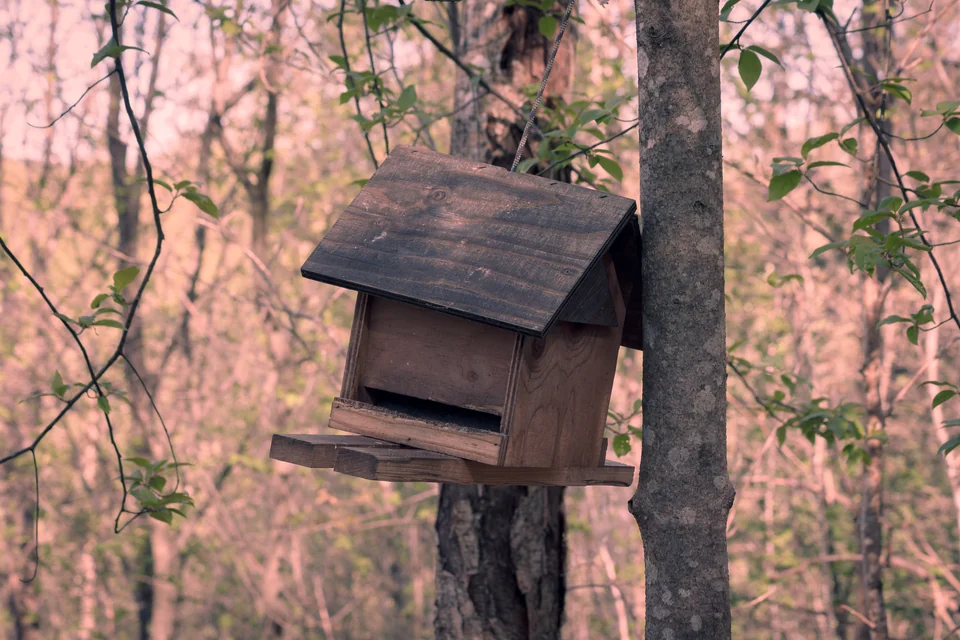
Photo: Sanzzu · Bird feeder in a forest.jpg · CC BY-SA 4.0. Cropped, gently adjusted, and resized for this guide.
Calculate the complete first-year setup
Use an illustrative budget rather than a live price comparison. Suppose a feeder costs $180, a compatible mount costs $25, and an optional plan costs $60 for the year. That is $265 before food, tax, or any networking work. These are invented worksheet amounts, not current prices or recommendations.
Now compare a second setup with a higher purchase price but no paid feature you need. The cheaper box may not be the cheaper experience. Equally, a bundle can include accessories that do nothing useful in your yard.
| Budget item | What to record |
|---|---|
| Device and exact bundle | Price and included hardware |
| Mount and power accessories | Only compatible parts you need |
| Service plan | Actual billing period and renewal terms |
| Network changes | Needed only after a location test |
| Maintenance | Food, cleaning supplies, and your time |
Build a shortlist using reasons, not scores
Keep two candidates and one reason for each. Compare the exact bundle, the feature that matters most, and the question you still need answered. An undocumented feature is not a confirmed absence. Resolve uncertain subscription or mounting terms before ordering; leave space in your budget for the complete installation.
Use the return period as a structured trial
If the seller offers a return window, read its conditions before opening or installing the product. Keep packaging and avoid alterations that could affect eligibility. Plan the trial early enough to investigate problems without rushing on the final day.
Begin with setup and a close-range connectivity check. Then evaluate the actual mounting position, image framing, event handling, downloads, and charging access. Record what you changed rather than relying on memory after several settings adjustments.
Bird visits cannot be scheduled, so separate equipment checks from attraction. A camera can connect correctly before birds discover the feeder. Conversely, a busy feeding tray does not prove that every visit was recorded. Use the quiet-feeder troubleshooting guide for attraction questions, and avoid changing food, location, camera settings, and network hardware at the same time.
Small mistakes. Better moves.

Read the visual as text
- Buying by resolution. Inspect framing and clear bird detail.
- Trusting a solar label. Plan how you will charge and clean.
- Ignoring the base plan. Check what remains after a trial.
Work through three common buying situations
For a small yard with good coverage, begin with cleaning access and close framing. Additional range equipment may be unnecessary. A modest feeder can provide plenty to watch without creating a large food reservoir that sits unused.
For a partly shaded yard, prioritize a workable charging routine over optimistic solar expectations. A separate compatible panel may offer placement flexibility, but only if its cable and mounting arrangement remain suitable. Check the model's instructions before assuming an accessory solves the problem.
For a gift, investigate the recipient's phone, network, maintenance preferences, and willingness to manage an account. A surprise subscription or unreachable mount can turn an appealing present into a chore. Include the information needed to register the device, obtain support, and understand ongoing costs. The best gift setup is the one its owner can comfortably keep using.
Your decision should fit an ordinary week
Before checkout, explain your choice without referring to a promotional superlative. Name the birds and viewing experience you want, where the feeder will go, how it will connect, how it will be cleaned, and what you expect to pay after any trial ends.
If one of those answers is missing, resolve it before adding more accessories. If all five are clear, choose the arrangement that meets the requirements with manageable compromises. You do not need the most elaborate device to build a satisfying observation routine.
After installation, revisit the same questions. Has the camera helped you notice something new? Are the clips easy to keep? Is maintenance sustainable? Those are better measures of a successful purchase than an impressive specification that never changes how you enjoy the birds outside your window.
Watch it. Then try it.
Review the steps and common mistakes in two short, silent animations. Each has a complete text transcript below.
Your four-step action map
Read the complete video transcript
Choose your camera feeder.
- Define the job. Name the visits and details you want to see.
- Check the location. Compare access, glass, framing, and Wi-Fi.
- Separate the costs. List hardware, accessories, and services.
- Run a useful trial. Test ordinary tasks before adding extras.
Try the steps, then note any problem that still needs attention.
Three mistakes to avoid
Read the complete video transcript
Choose your camera feeder.
- Buying by resolution. Inspect framing and clear bird detail.
- Trusting a solar label. Plan how you will charge and clean.
- Ignoring the base plan. Check what remains after a trial.
Try the steps, then note any problem that still needs attention.
Both animations use this real photograph by Slakshmin. Photo source · CC BY-SA 4.0. The photo is adapted into original educational animations, not recordings of a field test.
At a glance
| Your situation | Our conclusion | Your next action |
|---|---|---|
| First camera feeder | Start with usable food access and care. | Use the selection worksheet. |
| Uncertain yard coverage | Test before buying network equipment. | Diagnose the connection. |
| Unclear recurring fees | Compare functions separately. | Read the plan checklist. |
Sources & evidence
- Birdbuddy: Connectivity and Wi-Fi requirements
- Birdfy: FAQ and troubleshooting
- Birdfy: Cloud service and included entitlements
- Birdbuddy: Device care by model
- Birdbuddy: Quick privacy guide
Our standard: real evidence before ratings. Corrections follow our editorial process.
Our verdict & your next actions
Choose the row that describes your setup, then follow the suggested check or adjustment.
| Your situation | Our verdict | Your next action |
|---|---|---|
| First camera feeder | Start with usable food access and care. | Use the selection worksheet. |
| Uncertain yard coverage | Test before buying network equipment. | Diagnose the connection. |
| Unclear recurring fees | Compare functions separately. | Read the plan checklist. |
Your pocket field checklist
Tick off the steps as you go.
0 of 4 steps completed
Keep building your knowledge in smart bird feeders, or search the full backyard library.