
Photo: Paul Danese · 202403141019 black capped chickadee earle park PD203897.jpg · CC BY-SA 4.0. Cropped, gently adjusted, and resized for this guide.
The short answer
Compare live view, recording, retention, exports, identification, and sharing separately. Verify the exact bundle and account offer, record renewal terms, and test downloads before committing.
Ask what remains when you stop paying
The most useful subscription question is not “Does this feeder have a fee?” It is “Which parts of my ordinary bird-watching routine work without that fee?” A camera may retain live viewing but lose enhanced identification, or keep recent clips while limiting a saved collection. Those are different compromises.
Begin with your preferred routine. Perhaps you want a daily look at visitors and a few downloaded keepsakes. Perhaps you want automatic labels, longer clips, and a large searchable archive. List those tasks before reading a plan comparison so that optional features do not quietly become necessities.
This guide explains how to evaluate terms, not which plan is universally cheapest. Features vary by exact device, bundle, account, country, and billing channel. The manufacturer examples were checked for this guide's research date; verify the offer shown to your own account before purchasing or changing a subscription.
Separate hardware from service entitlement
Two feeders can look identical while including different software benefits. One bundle may include recognition; another may offer a trial followed by a paid plan. The difference may sit in the product description rather than on the camera itself.
Save the exact order page, model identifier, and wording of included services. Keep the receipt with those records. If the listing says a feature is included, determine how it activates and whether the entitlement follows the device or the purchasing account.
Avoid assuming that a retailer's shorthand resolves the details. “AI included” does not describe storage duration, household sharing, future premium features, or transferability. Ask for clarification when an included benefit affects your decision. A clear answer before purchase is easier to use than a disagreement after a trial has ended and a return window is closing.
Break the app into six useful functions
Compare live viewing, event recording, storage retention, downloads, identification, and sharing separately. This is a functional inventory, not a suggestion that every vendor sells six distinct subscriptions. A plan may bundle several of them.
For each function, write the base experience, the paid difference, and your actual need. An improvement is valuable only when it changes something you do. Longer clips may matter if visits regularly end before the saved sequence; an enormous archive may matter less if you export a few favorites.
| Function | A question worth answering |
|---|---|
| Live view | Can I open it without a plan? |
| Event clips | What recording limits apply? |
| Retention | When are unsaved clips removed? |
| Downloads | Can I keep files outside the app? |
| Identification | Which recognition features are included? |
| Sharing | Who can view, save, or manage the feeder? |
Your visual action map

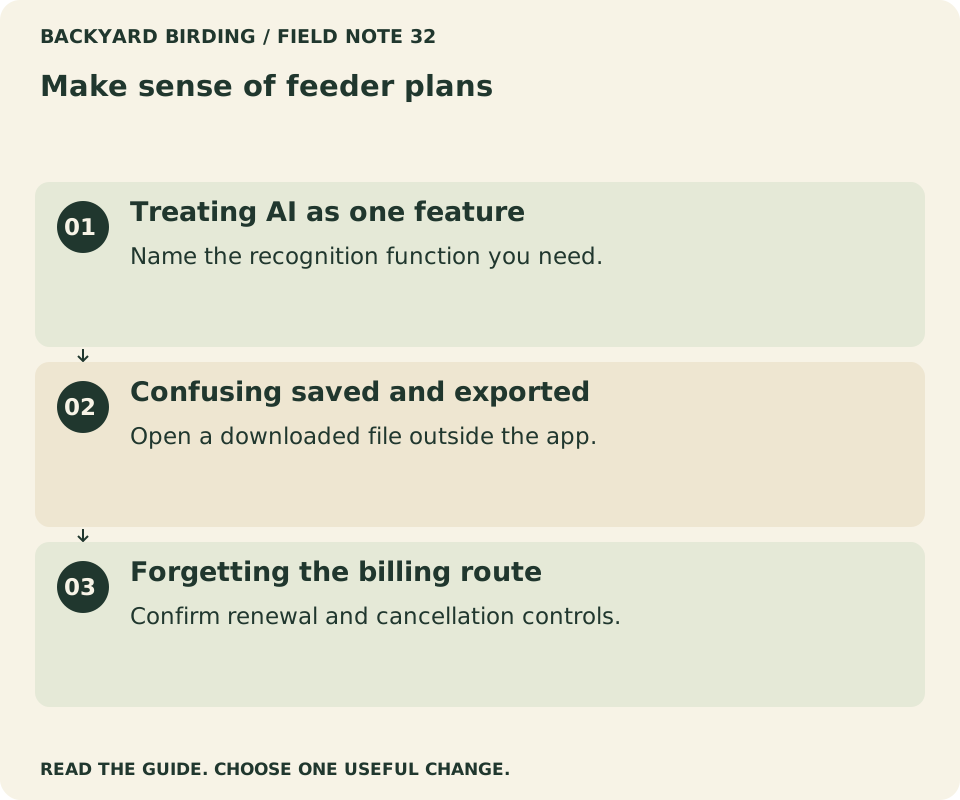
Read the visual as text
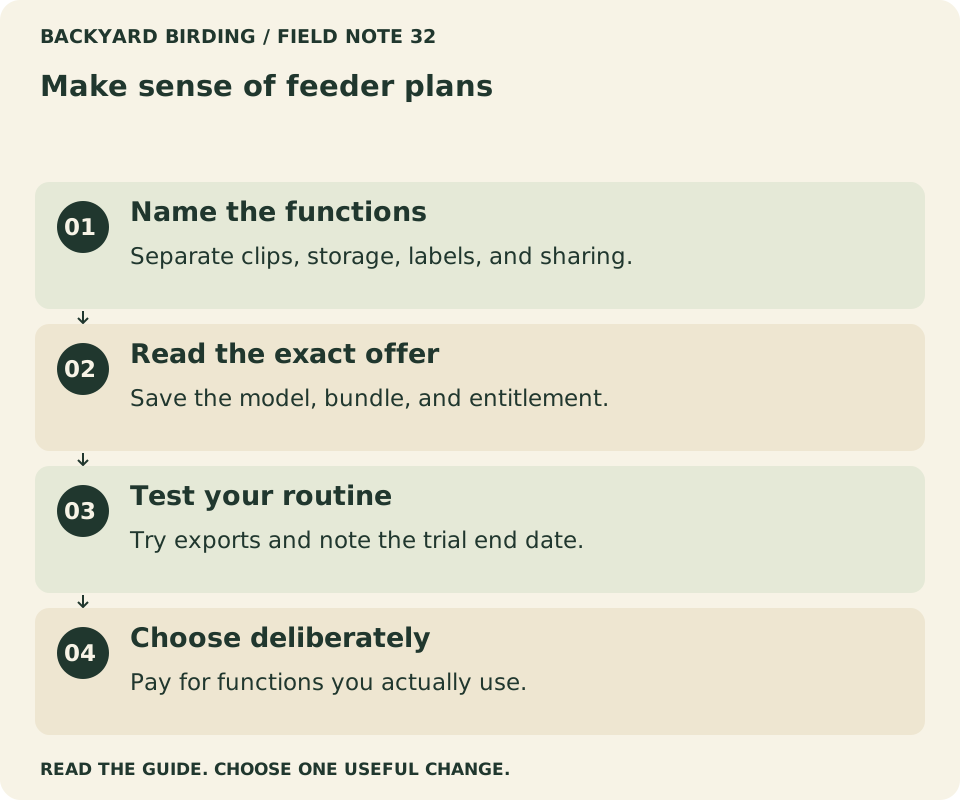
- Name the functions. Separate clips, storage, labels, and sharing.
- Read the exact offer. Save the model, bundle, and entitlement.
- Test your routine. Try exports and note the trial end date.
- Choose deliberately. Pay for functions you actually use.
Read a current manufacturer example carefully
Birdfy's cloud-service documentation distinguishes ordinary event retention from a saved Collection and separates storage upgrades from recognition services. It also distinguishes products with included lifetime recognition from versions where recognition is subscription-based. That structure illustrates why a simple yes-or-no answer about fees is insufficient.
Do not turn those categories into a universal promise for every Birdfy device. The same documentation lists compatibility exceptions, and the offer attached to your account is the practical starting point for pricing. Check the current official page and the exact product description together.
The lesson transfers to other brands: separate the camera you own from the services your purchase activates. If a plan table and a retailer listing appear inconsistent, preserve both and ask the manufacturer which applies. Do not assume the most favorable interpretation will automatically govern your account.
Distinguish basic recognition from premium extras
Birdbuddy's Advanced AI+ documentation describes an enhanced recognition feature associated with Premium membership. That is a specific feature statement, not proof that every identification function requires the same plan on every device.
Write the name of the feature you want rather than using “AI” as a single category. Automatic tagging, a suggested species, individual-bird features, sound-related functions, and special analyses may have different availability. Only compare functions that the current documentation actually describes.
Also consider whether you enjoy checking the identification yourself. A careful manual review of a camera image can be part of the pleasure of birding. A paid label is not automatically more trustworthy than visible evidence. Choose identification features for convenience and learning, while keeping the ability to inspect the original photograph or clip.
Treat a trial as a time-limited experiment
At activation, record the trial end date, whether renewal is automatic, the billing amount shown, and the cancellation route. Keep a reminder early enough to make a considered decision. Do not wait for a surprise charge to discover which account or store manages the plan.
During the trial, note the features you actually use. A short daily record can be enough: clips reviewed, files exported, identification corrections, and any function that would be missed. Explore the base-plan description while the premium features are still visible.
A trial that coincides with few bird visits may provide limited evidence. That is a reason to acknowledge uncertainty, not to subscribe indefinitely just in case. If you decide to continue, choose deliberately. If you stop, confirm the resulting status in the billing system rather than assuming that closing or deleting the app cancels a service.

Photo: Rhododendrites · Blue jay in PP (30960).jpg · CC BY-SA 4.0. Cropped, gently adjusted, and resized for this guide.
“Ask what your ordinary bird-watching routine loses when the plan ends.”
Backyard Birding — editorial takeaway
Understand retention before building a collection
Retention is the period a service keeps a class of material under its stated rules. A rolling event history, a saved favorites collection, and files downloaded to your phone can be three separate stores. Saving a clip in one does not necessarily preserve it in another.
Find out what happens when an event ages out, a storage limit is reached, a plan ends, or a device is removed. Do not interpret a star icon or “saved” label without reading what it means in that app.
For material you particularly value, use the supported export feature and confirm the resulting file opens outside the service. Keep the original date and a sensible filename. A cloud collection is convenient for browsing, but it should not be your only understanding of where a cherished recording exists or how long it will remain accessible.
Test downloads as a real workflow
Download one ordinary clip before you commit to an archive-heavy routine. Open it in your phone's gallery or another local player. Check that it contains the expected length, orientation, sound if applicable, and usable detail.
Then try finding it again the following day. The practical question is not merely whether a download button exists, but whether the files fit the way you organize memories and observations. A short naming system with date, location nickname, and tentative species can help.
Keep identification uncertainty in the name or accompanying notes when necessary. “Woodpecker, uncertain” is a better record than a confident filename copied from an unverified app label. Our backyard journal guide explains how to preserve observations without turning repeated visits into claims about individual birds. Exporting a clip preserves evidence; it does not validate its automatic description.
Compare household access with account ownership
A household may want several viewers but only one person responsible for billing and device management. Determine what invitations or viewer roles the service supports, and whether those people receive the same features as the owner.
Do not assume sharing a feeder also shares every paid entitlement. Equally, do not buy duplicate plans before checking whether the existing purchase covers the intended use. Read the terms for the exact account arrangement.
Prefer supported invitations over distributing the main password. Decide who will handle renewal reminders, support requests, and ownership changes if the feeder moves to another household. This matters especially for gifts: the giver's payment account and the recipient's everyday app account may not be the same. Resolve that relationship during setup instead of discovering it when a renewal notice reaches the wrong person.
Find your situation

Read the visual as text
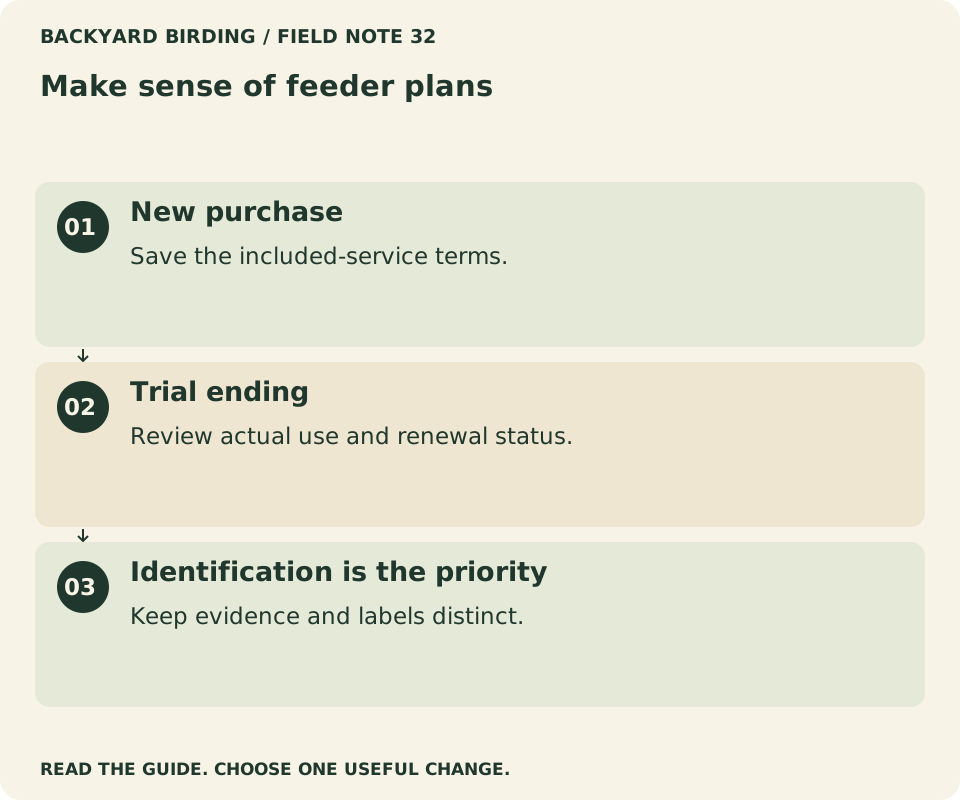
- New purchase. Save the included-service terms.
- Trial ending. Review actual use and renewal status.
- Identification is the priority. Keep evidence and labels distinct.
Make a one-year and three-year comparison
Use the actual checkout amounts for your region, including any displayed taxes or currency differences. Keep the device price separate from recurring service costs so that a sale on hardware does not obscure later payments.
For illustration only, a $60 annual plan adds $180 over three years if the price stays unchanged. A $7 monthly plan adds $84 over twelve months if it runs continuously. These are arithmetic examples, not current vendor prices, and future terms may change.
Compare the functions you would receive, not just the totals. An annual discount may be unattractive if you only want a short seasonal experiment. A monthly option may cost more over a full year but offer flexibility you value. Read cancellation and refund terms before treating any billing schedule as equivalent to another. Cost comparisons are only useful when their assumptions are explicit.
Read “lifetime” as a defined service term
A lifetime benefit can be valuable, but the word needs context. Determine whose or what lifetime is meant, which service is included, whether it transfers with the device, and what conditions the published terms specify.
Do not assume it includes every future feature the company may introduce. A particular recognition entitlement can coexist with separately priced storage or premium tools. Save the definition attached to your purchase rather than relying on a slogan.
This is not a prediction that a service will disappear. It is ordinary purchase documentation. Connected devices depend on software and services as well as hardware, so knowing the promised scope helps you make a realistic choice. If the term is not defined clearly enough for a feature that matters to you, ask for a written explanation before paying a premium for it.
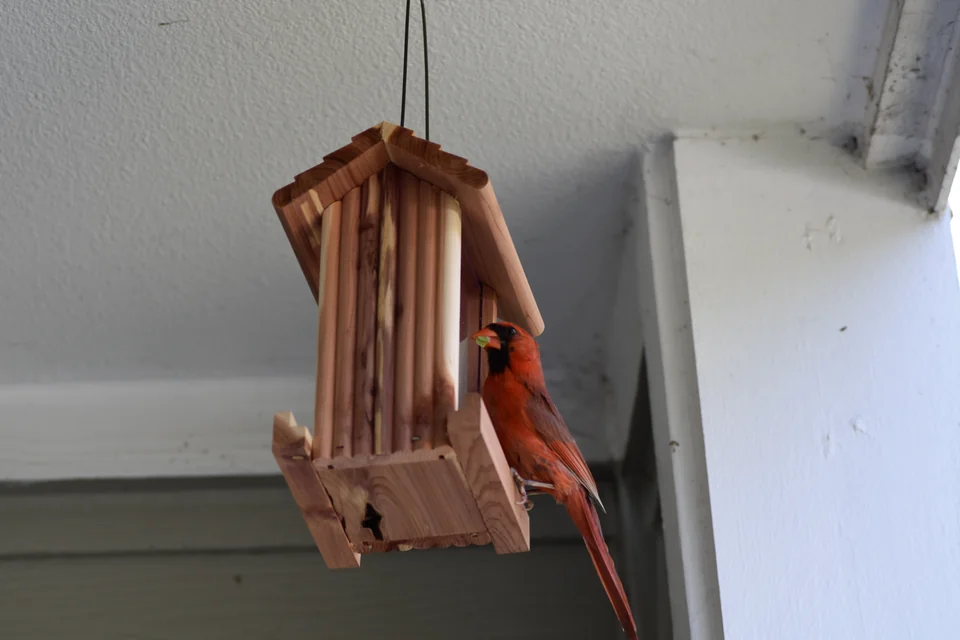
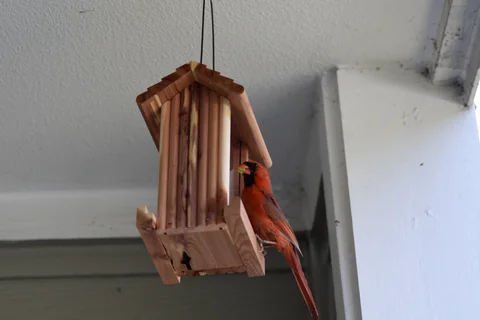
Photo: Slakshmin · A Northern Cardinal using a seed feeder. · CC BY-SA 4.0. Cropped, gently adjusted, and resized for this guide.
Consider a subscription-free routine honestly
A subscription-free routine can work well when the included functions meet your needs and you are willing to do some organizing yourself. You might review recent events, export favorites, and compare uncertain birds with a field guide or an identification tool.
That approach still requires checking what the device actually provides without a plan. “I can identify birds elsewhere” does not solve a camera that restricts access to the clips you wanted. Start with recording and export availability, then decide how to handle labels.
The free Merlin Photo ID tool offers possible matches from a photograph; it is a separate identification aid, not a replacement for a feeder's storage service. Use a clear image and inspect the evidence. Combining tools can be sensible, but it should be a workflow you enjoy rather than an elaborate workaround for a purchase that does not fit.
Review privacy alongside convenience
A service may process uploaded clips to provide storage or identification. Read the current privacy policy and account controls to understand what is collected, how sharing works, and what deletion options are available. Avoid assuming that every cloud service handles material in the same way.
Consider the frame before recording. A feeder camera can include people, windows, or conversations in the background depending on its placement and audio capabilities. Aim it deliberately and review a whole clip before sharing it beyond the household.
Paid status is not a shortcut to privacy, and free status does not by itself establish poor privacy. Compare the actual controls and disclosures. Keep the account secure and remove access that is no longer needed. The important decision is whether the service's operation fits the audience and records you intend to create.
Prepare before cancellation, transfer, or resale
Before changing a plan, read what happens to existing clips, stored collections, and premium features. Export material you want to preserve through the supported process, then verify the files. Do not assume that a cancellation takes effect immediately or only at the end of a billing period; check the applicable terms.
Keep confirmation of the change and the next billing status. If the subscription was purchased through an app store, use that store's relevant management process rather than assuming a device setting controls payment.
For transfer or resale, follow the manufacturer's account-removal and reset instructions. Consider both the hardware connection and the subscription separately. Unpairing a feeder may not cancel a plan, while cancelling a plan may not remove another person's access to the device. Finish both tasks explicitly and avoid passing along an account containing personal records.
Small mistakes. Better moves.

Read the visual as text
- Treating AI as one feature. Name the recognition function you need.
- Confusing saved and exported. Open a downloaded file outside the app.
- Forgetting the billing route. Confirm renewal and cancellation controls.
Recognize when paying adds real value
A plan is worth considering when it repeatedly removes friction you care about. Perhaps longer clips preserve behavior you would otherwise miss, or an expanded collection saves time you would spend exporting every week. Those are understandable reasons.
Measure that value against your routine rather than against every available feature. If you rarely open the app after the first month, additional services may not restore interest. A better feeder position, a manageable notification setting, or a short observation habit may be more useful.
Conversely, there is no need to turn every enjoyable subscription into a contest to avoid payment. The aim is informed choice. Know what you receive, what remains without it, and how to stop if your needs change. A deliberate small expense can be reasonable; an unnoticed renewal attached to an unused feature is a different situation.
Keep a compact service record
Save five things together: the device model, included entitlement, current plan, renewal information, and export instructions. Add a dated screenshot or copy of the terms relevant to your purchase. This small record prevents future confusion between hardware and account features.
Revisit it when the app announces a substantive change or when you add another feeder. Do not assume that an old comparison article describes the offer currently displayed to your account. Our smart-feeder buying guide provides the larger hardware and maintenance checklist.
Before a trial ends, open one exported clip outside the app and check the next billing date. Compare the features you used with those that remain on the base plan. Save the terms for the option you choose, along with the cancellation route, so you can review the decision later without rebuilding the comparison from memory.
Watch it. Then try it.
Review the steps and common mistakes in two short, silent animations. Each has a complete text transcript below.
Your four-step action map
Read the complete video transcript
Make sense of feeder plans.
- Name the functions. Separate clips, storage, labels, and sharing.
- Read the exact offer. Save the model, bundle, and entitlement.
- Test your routine. Try exports and note the trial end date.
- Choose deliberately. Pay for functions you actually use.
Try the steps, then note any problem that still needs attention.
Three mistakes to avoid
Read the complete video transcript
Make sense of feeder plans.
- Treating AI as one feature. Name the recognition function you need.
- Confusing saved and exported. Open a downloaded file outside the app.
- Forgetting the billing route. Confirm renewal and cancellation controls.
Try the steps, then note any problem that still needs attention.
Both animations use this real photograph by Paul Danese. Photo source · CC BY-SA 4.0. The photo is adapted into original educational animations, not recordings of a field test.
At a glance
| Your situation | Our conclusion | Your next action |
|---|---|---|
| New purchase | Save the included-service terms. | Use the buying worksheet. |
| Trial ending | Review actual use and renewal status. | Follow the service checklist. |
| Identification is the priority | Keep evidence and labels distinct. | Learn to review suggestions. |
Sources & evidence
- Birdfy: Cloud service and included entitlements
- Birdbuddy: Advanced AI+ Recognition
- Cornell Lab: Merlin Photo ID
- Birdbuddy: Quick privacy guide
Our standard: real evidence before ratings. Corrections follow our editorial process.
Our verdict & your next actions
Choose the row that describes your setup, then follow the suggested check or adjustment.
| Your situation | Our verdict | Your next action |
|---|---|---|
| New purchase | Save the included-service terms. | Use the buying worksheet. |
| Trial ending | Review actual use and renewal status. | Follow the service checklist. |
| Identification is the priority | Keep evidence and labels distinct. | Learn to review suggestions. |
Your pocket field checklist
Tick off the steps as you go.
0 of 4 steps completed
Keep building your knowledge in smart bird feeders, or search the full backyard library.